
Timetable first
Read your week across classes, pending tasks, and the blocks that need real time.
For timetable, tasks, assessments, focus, and AI connections.
Read the week, keep pending work visible, and connect ChatGPT, Claude, or any compatible MCP client when you want help acting on it.
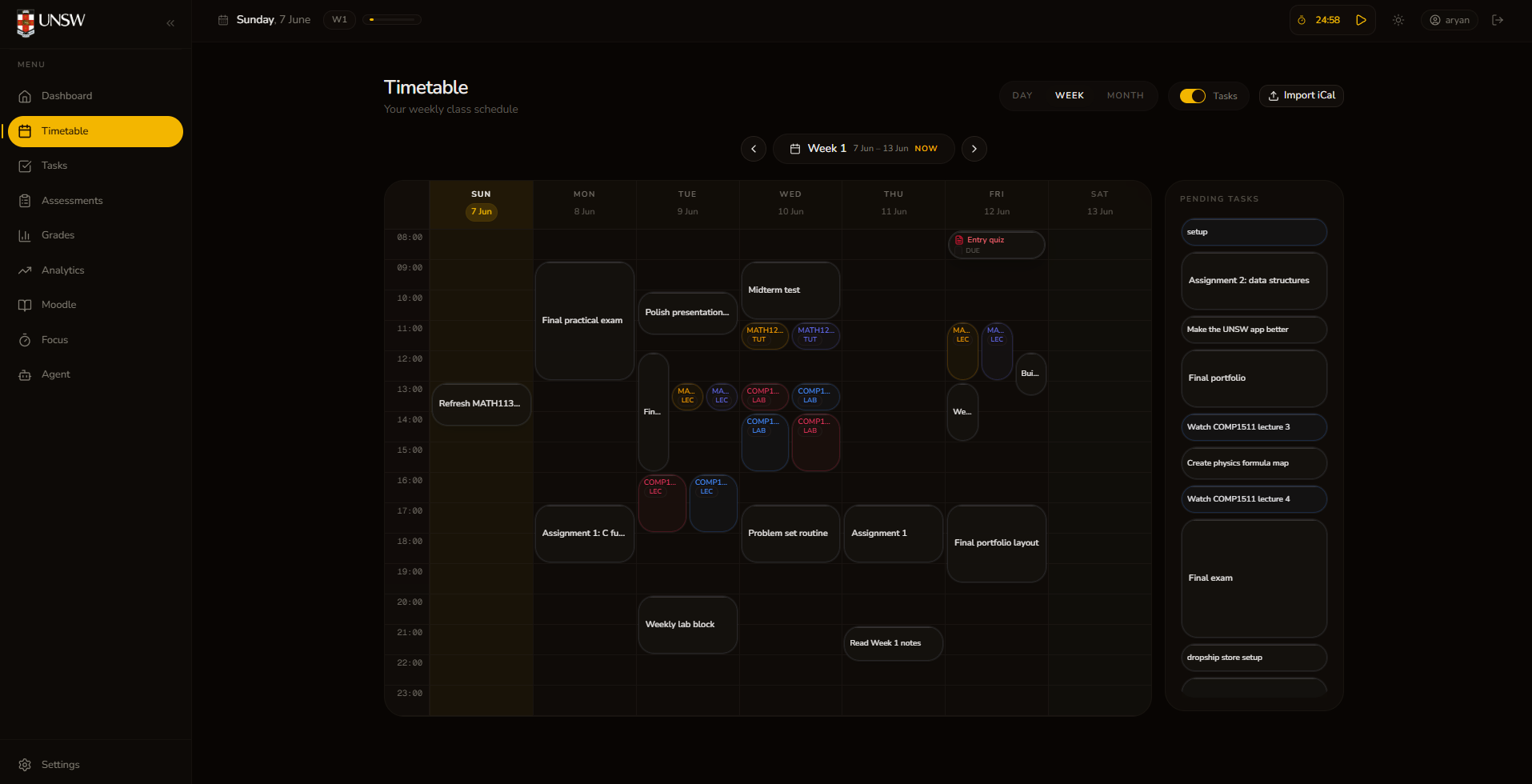
Product View
Check the timetable, turn loose work into tasks, and let your connected AI assistant work from the same study context when you need it.
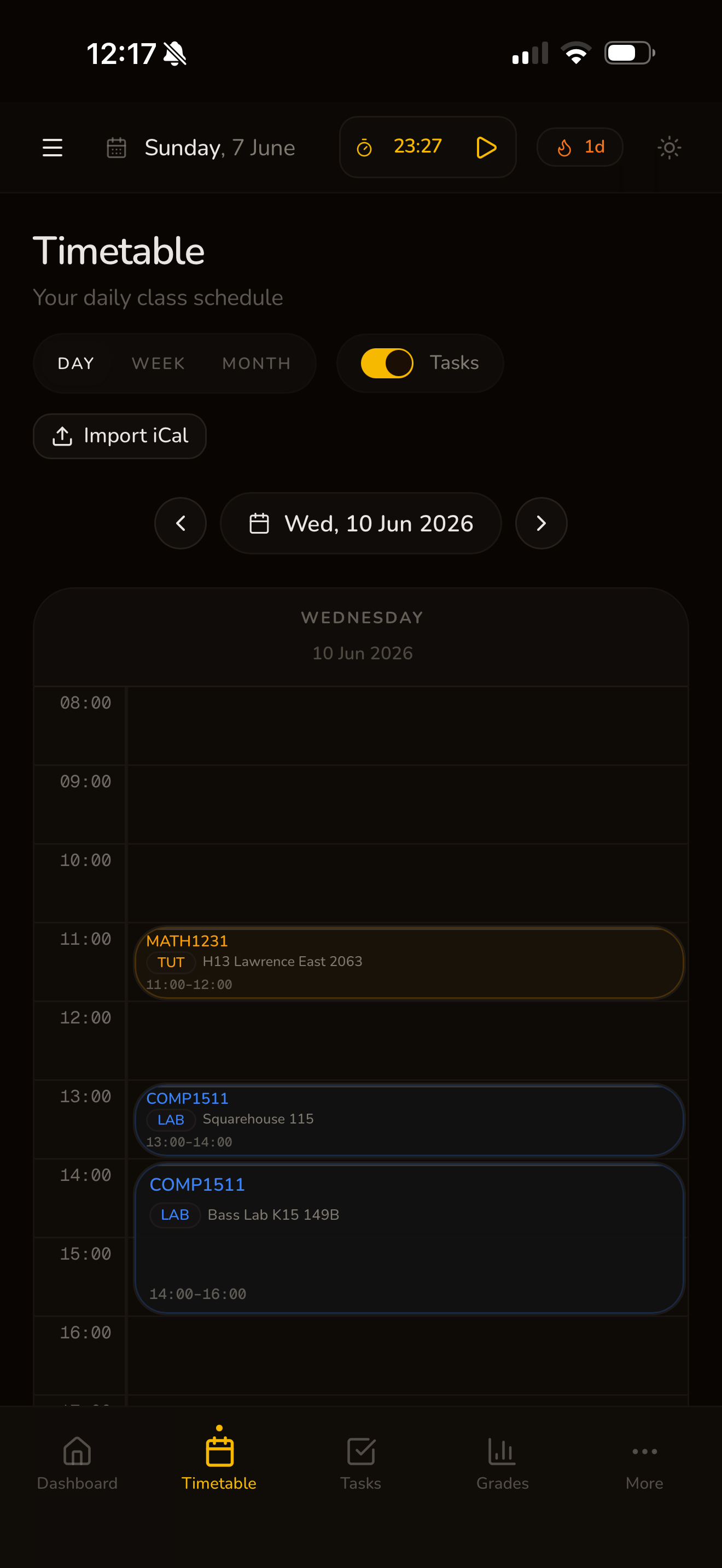
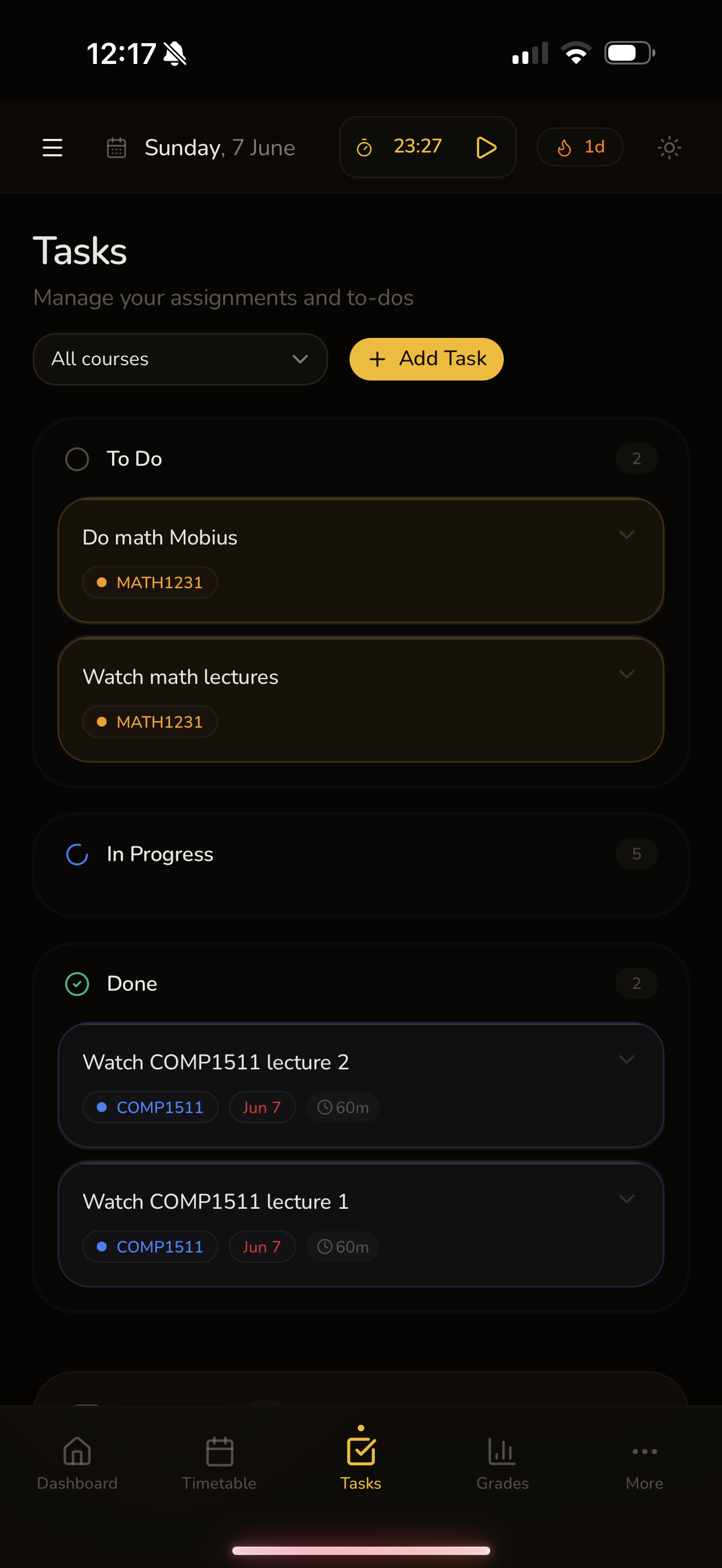
Features
No floating buzzwords, no random colors. Just the parts of student life that need to stay visible.
Read your week across classes, pending tasks, and the blocks that need real time.
Turn due dates into tasks, track progress, and keep submitted work visible.
Connect ChatGPT, Claude, or any MCP-compatible client to read and update your dashboard.
Keep marks, focus sessions, and weekly planning tied to the same dashboard.
Use the timetable to see where the week is tight, then turn reminders, assessments, revision, and connected-assistant ideas into concrete dashboard tasks.
Workflow
The dashboard is designed for repeated student use: check the week, plan the next action, and keep work close to the classes and deadlines it belongs to.
1
private workspace plus MCP connector for timetable, tasks, assessments, grades, and focus
7
days visible as a real study rhythm with pending tasks beside the week
0
spreadsheet tabs needed to turn a reminder into a trackable action
Open one page and let your own tools understand what deserves attention today.
Designed around UNSW student workflows
FAQ
The public page should explain the product quickly, then get out of the way.
No. It is an independent student dashboard designed around UNSW study workflows.
Yes. Start with tasks and assessments, then import or adjust classes when your schedule settles.
The full dashboard shell: timetable, tasks, assessments, grades, analytics, goals, focus mode, and connector settings.
Yes. Create your personal connector URL after signing in, then add it to ChatGPT, Claude, or another MCP-compatible client.
Sign in, read your timetable, then connect the dashboard to the assistant you already use.